


How to Upgrade Your Plan
Reached the maximum subscriber numbers on your plan or reached your sending quota? Then it’s time to upgrade your account. This ensures that you can continue executing your email marketing strategy. Learn how to upgrade your account below.
Step 1
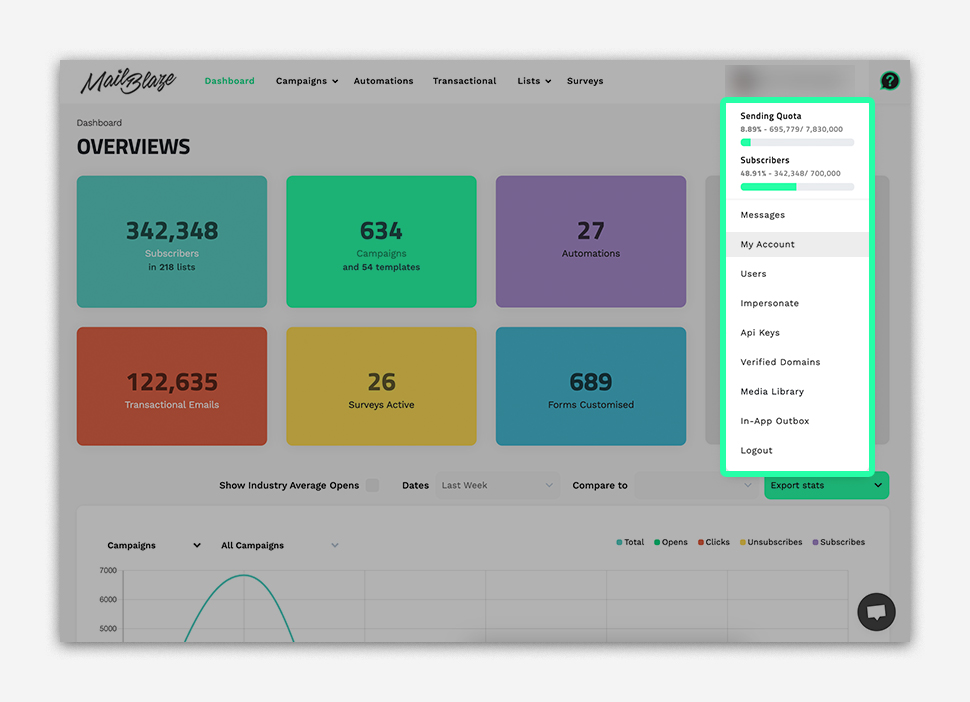
Go to the top-right corner of your dashboard and click your account name to open the dropdown menu.
Step 2
Click MY ACCOUNT to access your profile and billing settings.
Step 3
Select the BILLING tab, click UPGRADE/DOWNGRADE PLAN Plan and then choose the plan that best suits your needs.
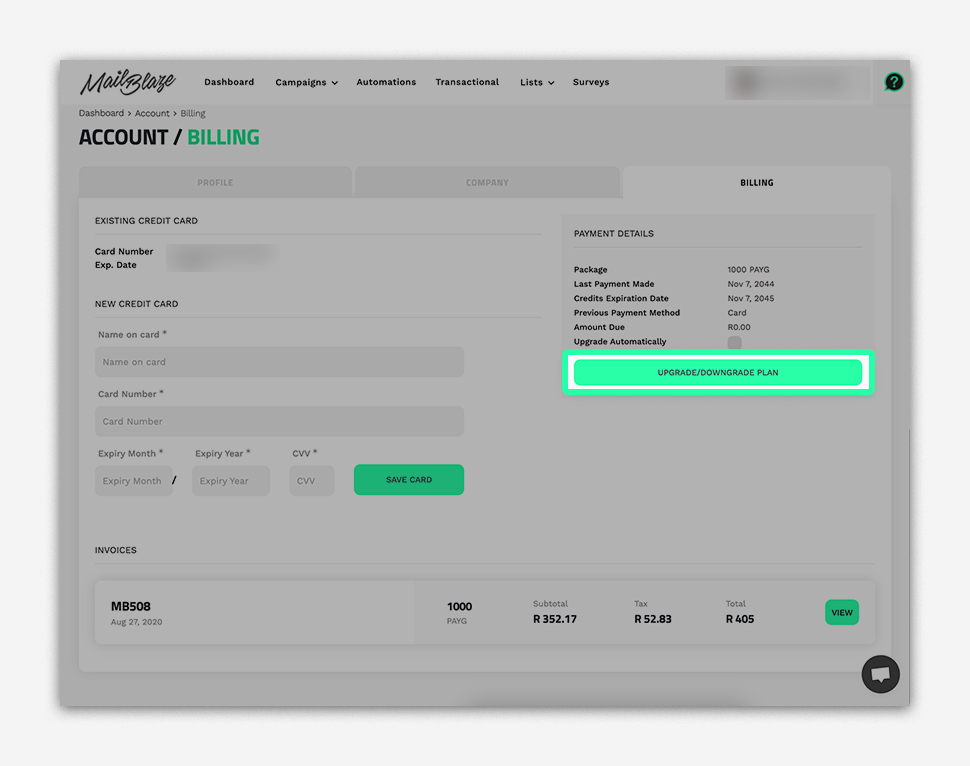
You can now choose the new plan that suits your needs and click on BUY NOW.
PLEASE NOTE: When upgrading, your account will be charged a pro-rated amount based on the time left in your current billing cycle. This means you only pay the difference for the remainder of the current cycle. Your new full plan rate will apply on your next billing date.