


SUPPORT ARTICLE | 1 minute read
How to Split Your Email List
Sending the same email to everyone doesn’t always work. Splitting your list is useful when you need smaller groups for testing, managing large sends, or controlling volume during warm-up. It also helps you organise your contacts more efficiently.
If your goal is to target based on engagement, you can use Custom Defined Segments, as these group subscribers based on their activity and behaviour without needing to split your list.
How to split your list
Follow these steps in your dashboard:
- Go to LISTS
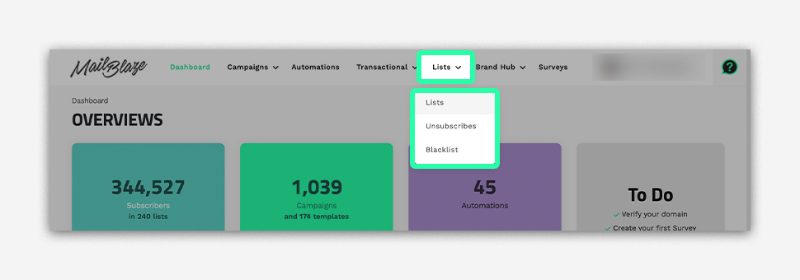
- Select LIST ACTIONS

- Click SPLIT LIST

- Choose the list you want to split
- Select how many lists you want to create
- Confirm by clicking SPLIT
Each new list will contain an evenly distributed portion of your original subscribers.
List splitting is a simple way to improve how your campaigns perform. It helps you test, target, and send more effectively, while also supporting better deliverability.