


Managing your account details
You can update and manage your account details anytime from your dashboard. Keeping this information current helps avoid issues with billing, communication, and access.
Click your account name at the top right of your dashboard and select MY ACCOUNT from the dropdown menu.

Profile
Make sure your contact details are correct so you don’t miss important notifications.
If you want invoices sent to someone else, like your finance team, you can add their email address under INVOICES EMAILED TO.

- You can add more than one email address
- Separate each address with a semicolon ( ; )
Security
For added security, you can enable TWO-FACTOR AUTHENTICATION (2FA) on your account.
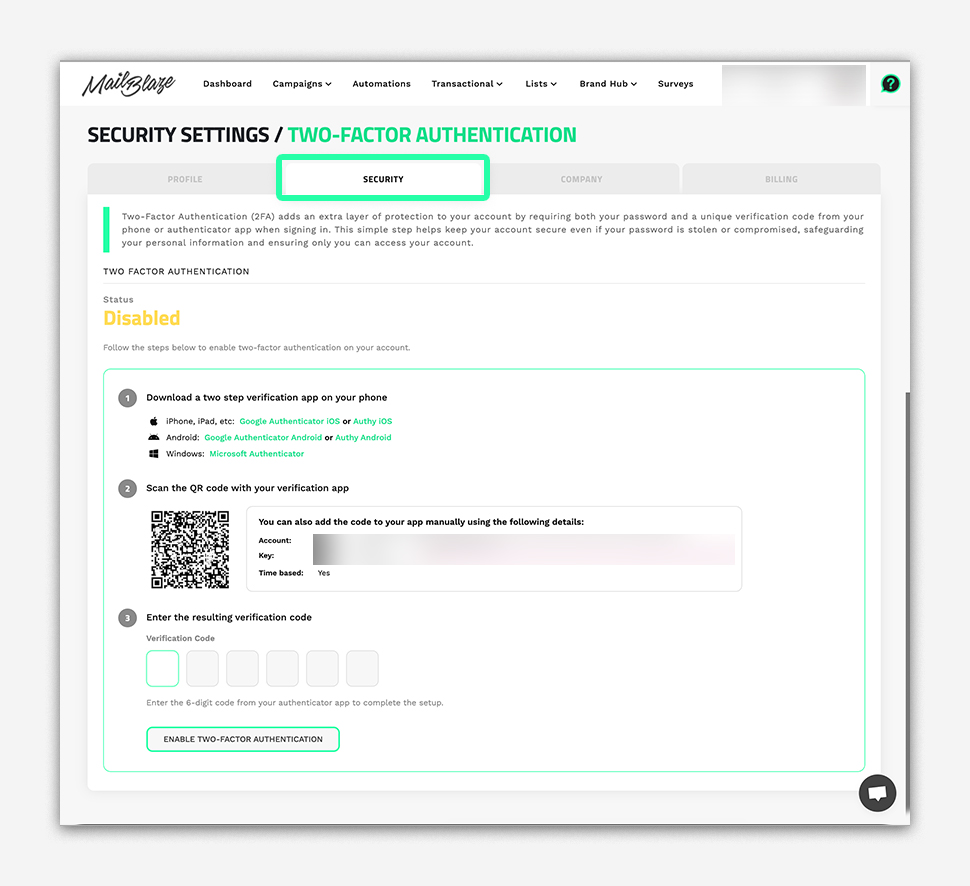
This adds an extra step when logging in and helps protect against unauthorised access.
For setup steps, refer to How to Enable Two-Factor Authentication (2FA)
Company
You can update your company details at any time under the COMPANY section. This includes adding or editing your VAT number.

Billing
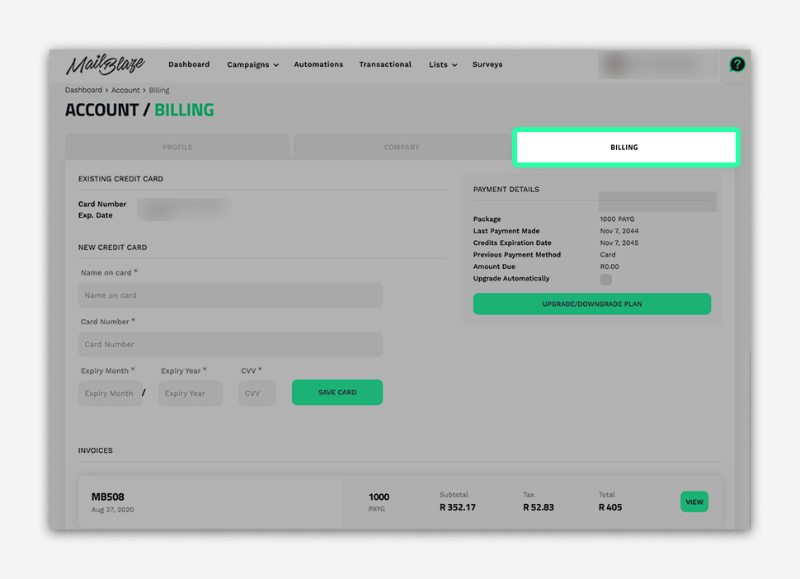
Here you can view your invoices, manage your plan, and make changes to your account when needed.
Useful guides:
Finding your invoices
How to Upgrade Your Plan
Cancel Plan
Keeping your account details up to date helps everything run smoothly. It ensures invoices go to the right people, your account stays secure, and you don’t miss any important updates.