


Understanding Gmail Rate Limiting
What Is Gmail Rate Limiting?
Gmail rate limiting is a delivery control mechanism enforced by Gmail’s mail servers, not by Mail Blaze. It is Gmail’s way of controlling how quickly and how many emails it will accept from a specific sending domain or system within a given time period.
When rate limiting is triggered, Gmail temporarily slows down or defers email acceptance. From the sender’s perspective, this often appears as delayed delivery or bounce messages returned by Gmail.
In your campaign's BOUNCE RATE REPORT you may see messages such as: "Gmail has detected an unusual rate of mail originating from your DKIM domain. To protect our users from spam, mail sent from your domain has been temporarily rate limited. For more information, go to https://support.google.com/mail/?p=UnsolicitedRateLimitError to review our Bulk Email Senders Guidelines."
or similar rate-limit–related responses in your bounce logs. These messages are generated by Gmail.
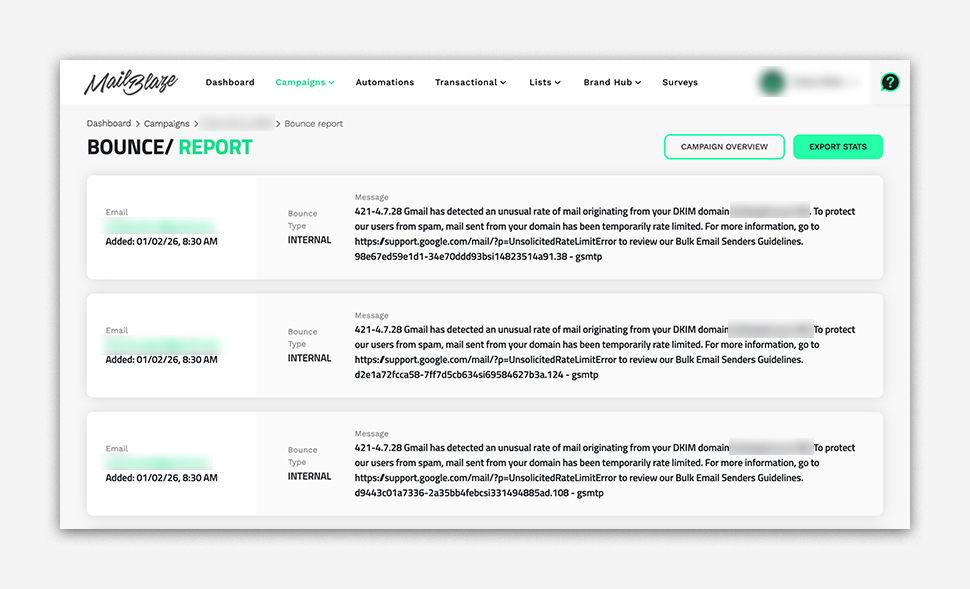
Mail Blaze does not apply rate limits to Gmail traffic. When this occurs, Mail Blaze continues to attempt delivery and respects Gmail’s responses, adjusting sending behaviour accordingly to prevent permanent failures.
Why Gmail Applies Rate Limiting
Common reasons for Gmail rate limiting include sudden or unusually high sending volumes, low engagement signals such as poor open rates, spam complaints, or high bounce rates, and potential system or account issues like misconfiguration or suspicious sending behaviour. Rate limiting is also used to protect inbox users and maintain Gmail’s overall stability and security.
Important: Gmail rate limiting does not automatically mean your emails are spam. In most cases, it indicates Gmail wants to see consistent, responsible sending behaviour over time.
Gmail has published updated bulk sender guidelines , and complying with these requirements is essential for sustained inbox placement.
What Happens to Your Emails in Mail Blaze
When Gmail rate limiting occurs, Mail Blaze does not block your emails outright. Instead, messages are temporarily deferred and retried based on Gmail’s responses, which means sending rates may effectively slow down to match what Gmail is willing to accept at that time. This controlled approach helps protect your domain from hard bounces and allows email delivery to resume naturally as Gmail’s limits ease.
What to Do When Emails Are Rate Limited
If you see Gmail rate-limit responses or experience delivery delays, the following steps will help resolve the issue and prevent recurrence.
1. Review Domain Verification (Required)
Domain authentication is mandatory for bulk senders. Rather than implementing it again, you should review your existing setup to ensure all records are present and correctly configured:
- SPF
- DKIM
- DMARC
Proper authentication builds trust with Gmail. Missing or misconfigured records significantly increase the likelihood of rate limiting. You can review the step-by-step instructions on how to verify your sending domain HERE.
2. Register with Gmail Postmaster Tools (Monitoring & Troubleshooting)
Gmail Postmaster Tools is not a fix on its own, it is a diagnostic and monitoring tool that helps you understand how Gmail views your sending behaviour. After registering your domain, use Postmaster Tools to analyse:
- Domain and IP reputation trends
- Spam complaint rates
- Authentication pass/fail status
- Delivery and rate-limit errors
- Volume consistency over time
Look for patterns rather than single-day changes. Improvements in reputation and engagement typically correlate with reduced rate limiting.
Register your domain HERE.
3. Segment Subscribers and Adjust Sending Behaviour
Rate limiting is often a signal that who you send to matters more than how fast you send.
Segmenting your audience based on engagement helps Gmail recognise positive interaction signals and improves overall deliverability.
- Engaged subscribers: Open and click regularly. These should receive your standard campaigns.
- Mostly engaged subscribers: Interact occasionally. Send consistently but monitor performance.
- Unengaged subscribers: Have not opened in a long period. These should be handled separately.
For unengaged subscribers, run a reengagement campaign asking if they still want to hear from you. If there is no response after two attempts over a defined period, suppress or remove them from future sends.
This reduces negative signals and helps Gmail regain confidence in your domain.
Learn how to create engagement-based segments here: Segmentation Guide
4. Maintain a Clean Mailing List
Maintaining a clean mailing list directly improves deliverability and significantly reduces the risk of Gmail rate limiting.
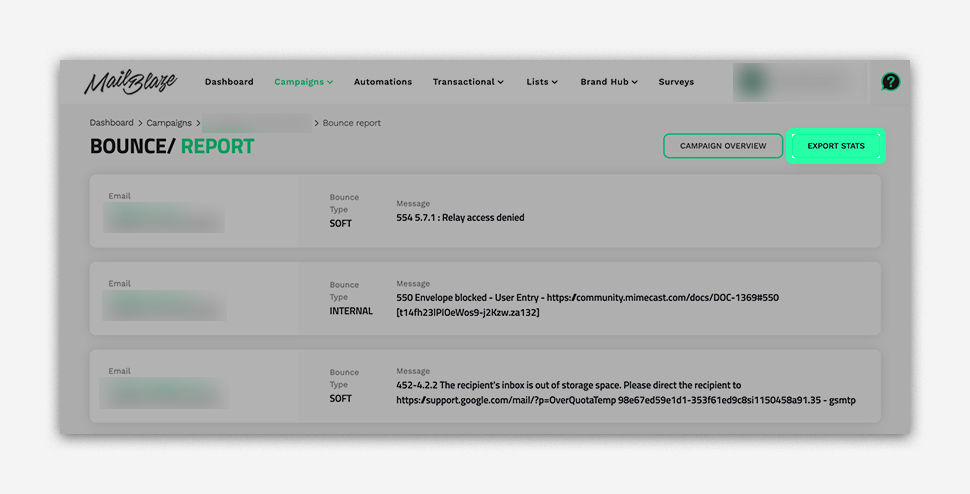
We strongly recommend reviewing your BOUNCE RATE REPORT and removing subscribers that repeatedly generate hard bounces. HARD BOUNCES usually indicate addresses that are non-existent, invalid, blocked, or permanently unavailable, and continuing to send to these addresses signals poor list quality to Gmail.
Regularly remove:
- Invalid or non-existent email addresses
- Addresses returning mailbox not found, user unknown, or invalid recipient errors
- Blocked or permanently rejected domains
- Inactive users and repeated non-openers
When you notice that most of the bounces are HARD BOUNCES, these contacts should be removed from your list immediately.
How to remove hard-bouncing subscribers:
- Go to CAMPAIGNS > CAMPAIGN Sent
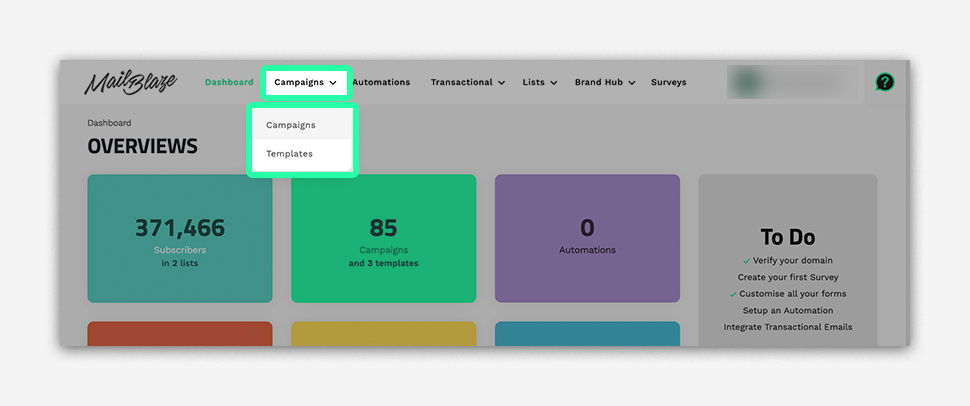
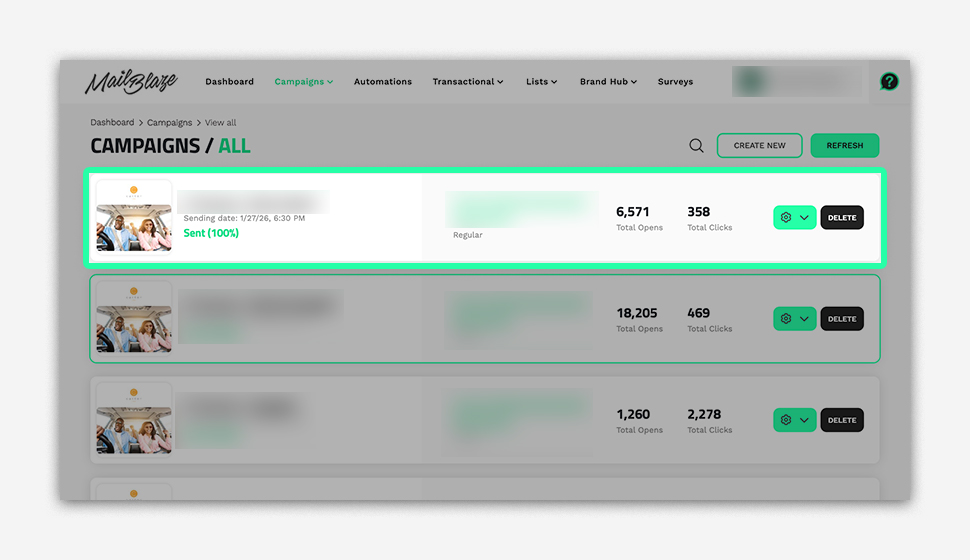
- Open the BOUNCE RATE REPORT for the campaign
- Click VIEW DETAILS
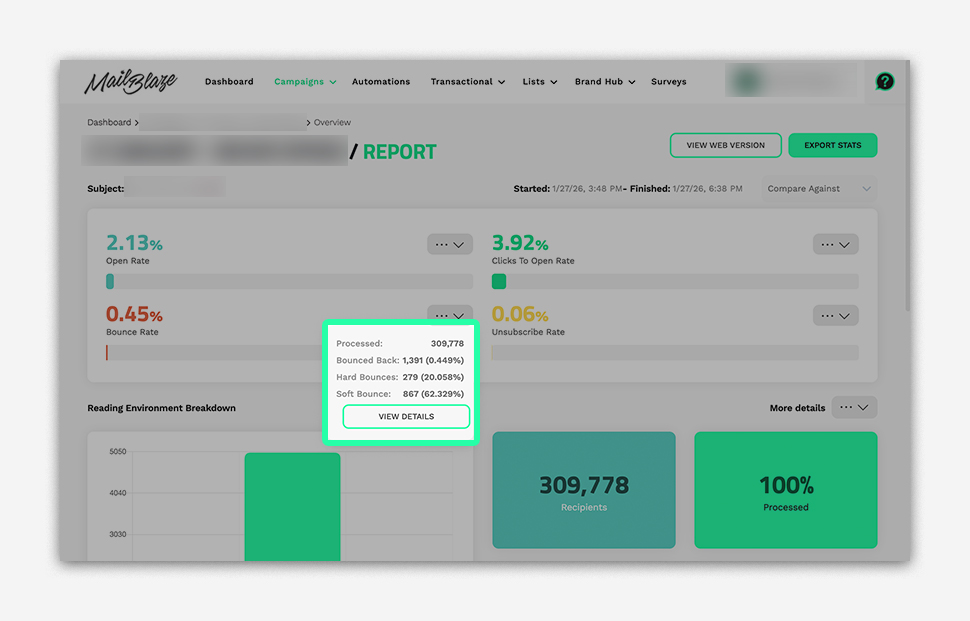
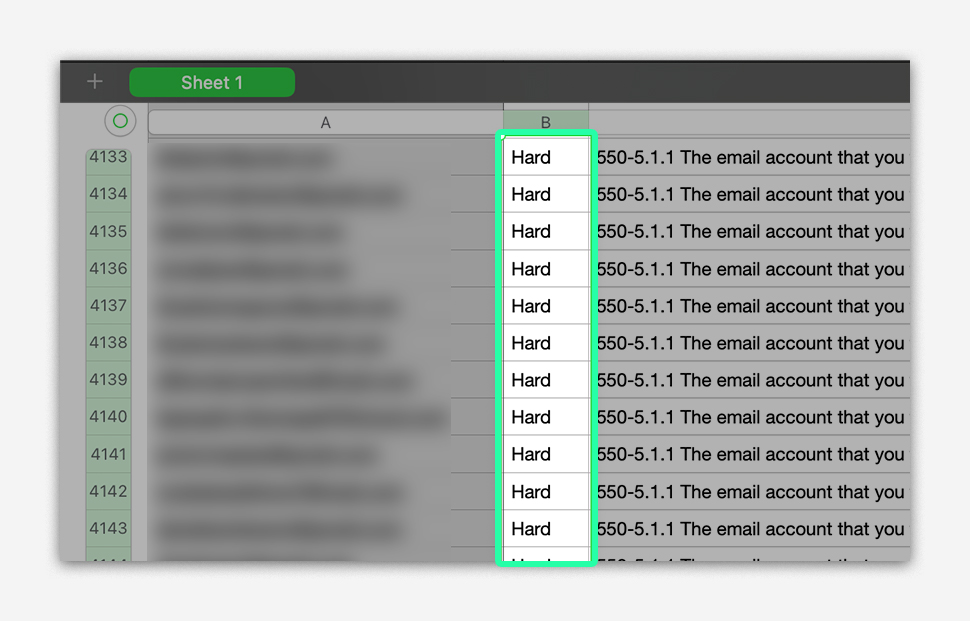
- EXPORT the bounce report
- Identify contacts marked as HARD BOUNCES (non-existent, invalid, blocked, etc.)
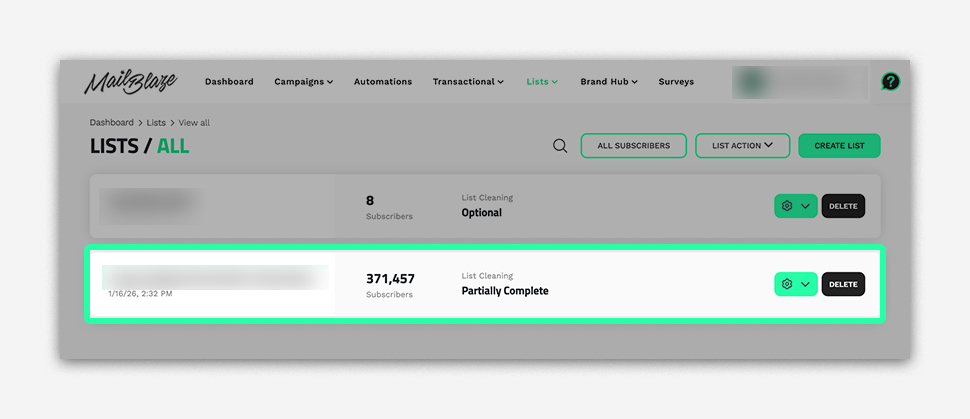
- Go to LISTS and select the relevant list name
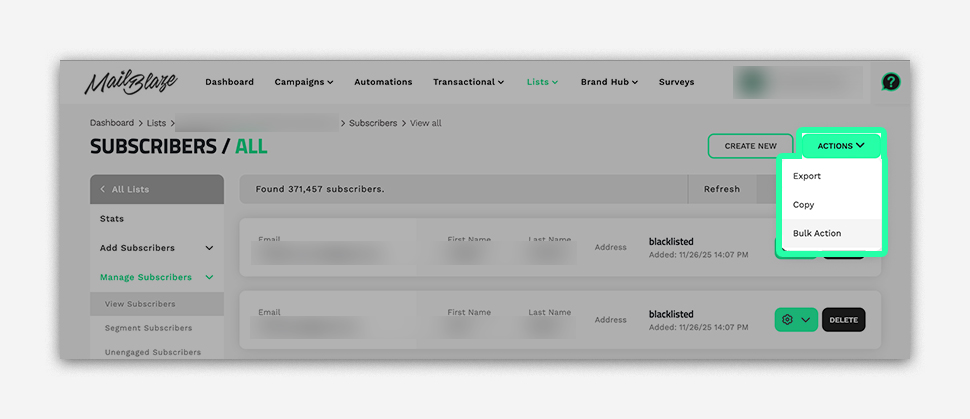
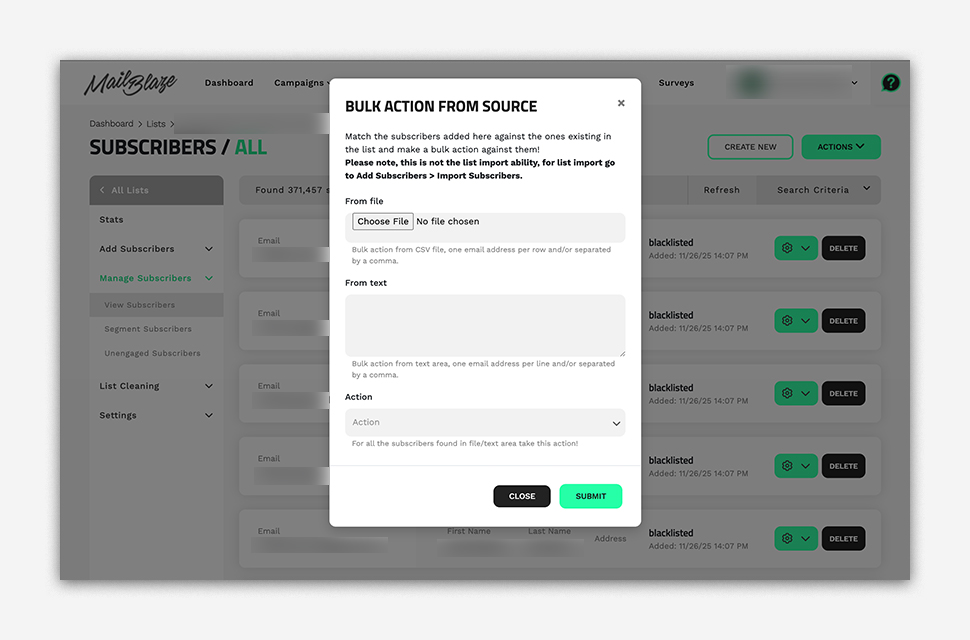
- Click ACTIONS> BULK ACTIONS > DELETE to remove these subscribers
Protip: Prioritise engagement over list size. A smaller, active list consistently outperforms a large, unresponsive one and sends stronger trust signals to Gmail.
Gmail rate limiting is a temporary delivery control, not a penalty. It is applied by Gmail to encourage responsible, consistent sending behaviour. By reviewing authentication, monitoring Postmaster data, segmenting subscribers, maintaining a clean list, and sending consistently, rate limits naturally ease over time and inbox placement improves.