


SUPPORT ARTICLE | 0 minute read
Finding your invoices
If you're looking to download your invoices, you can access them directly from your Mail Blaze account. This makes it easy to keep track of billing, send invoices to your finance team, or save copies for your records. Follow the steps below to locate and download your invoices at any time.
Step 1
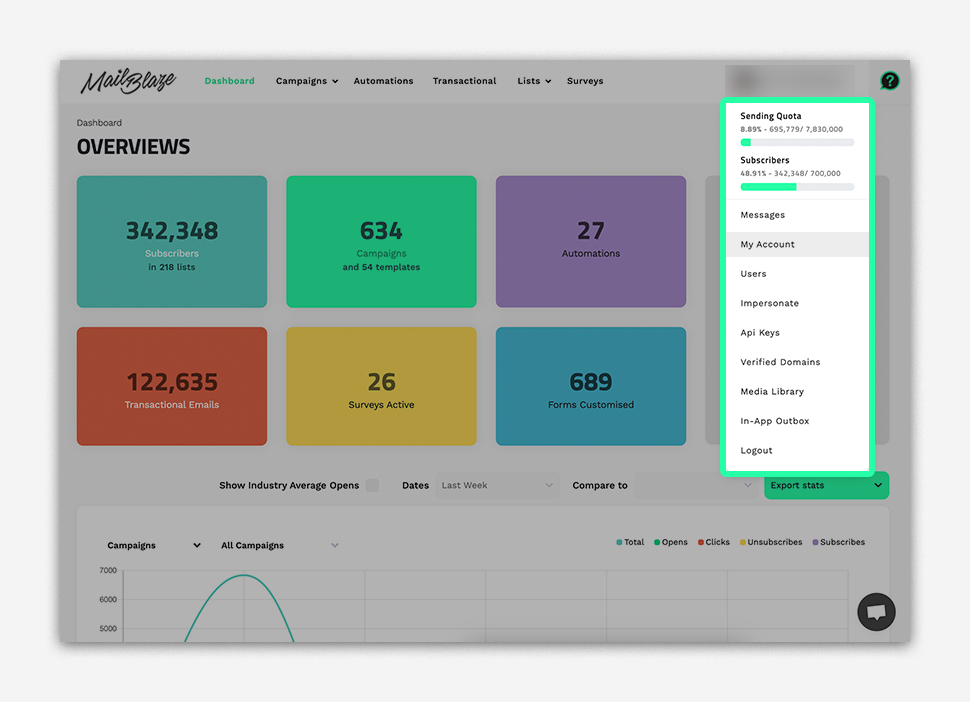
Click your account name at the top right of your dashboard and select MY ACCOUNT from the dropdown menu.
Step 2
Once in your account settings, navigate to the BILLING TAB.
Step 3
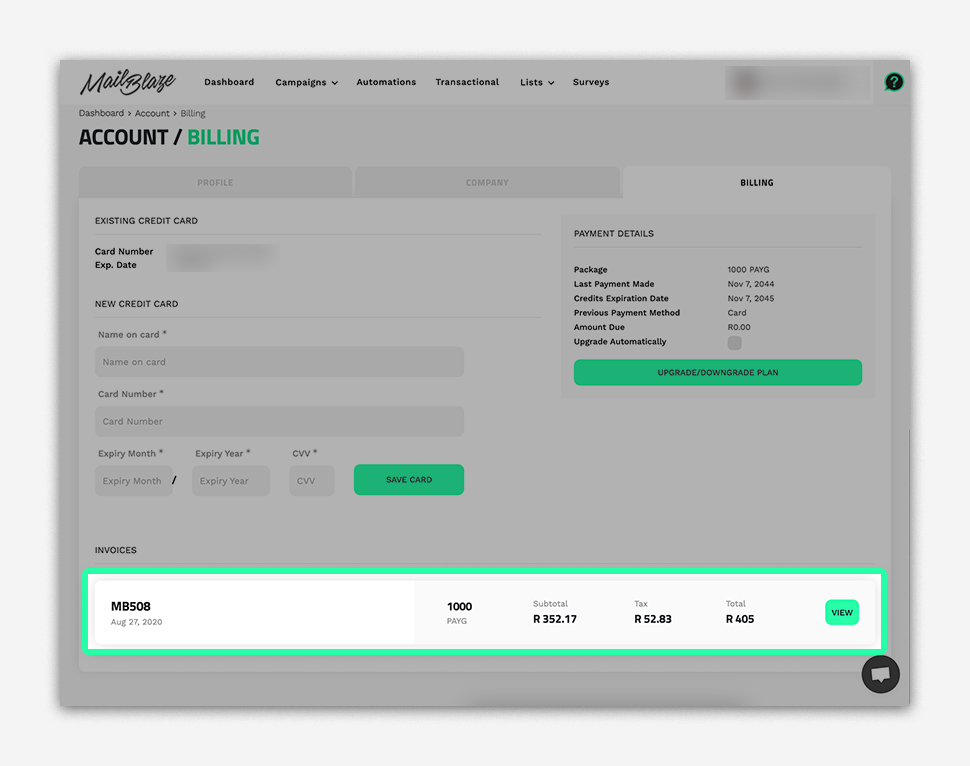
Scroll down to the INVOICES section. You’ll see a list of all invoices linked to your account.
- Click VIEW to open an invoice.
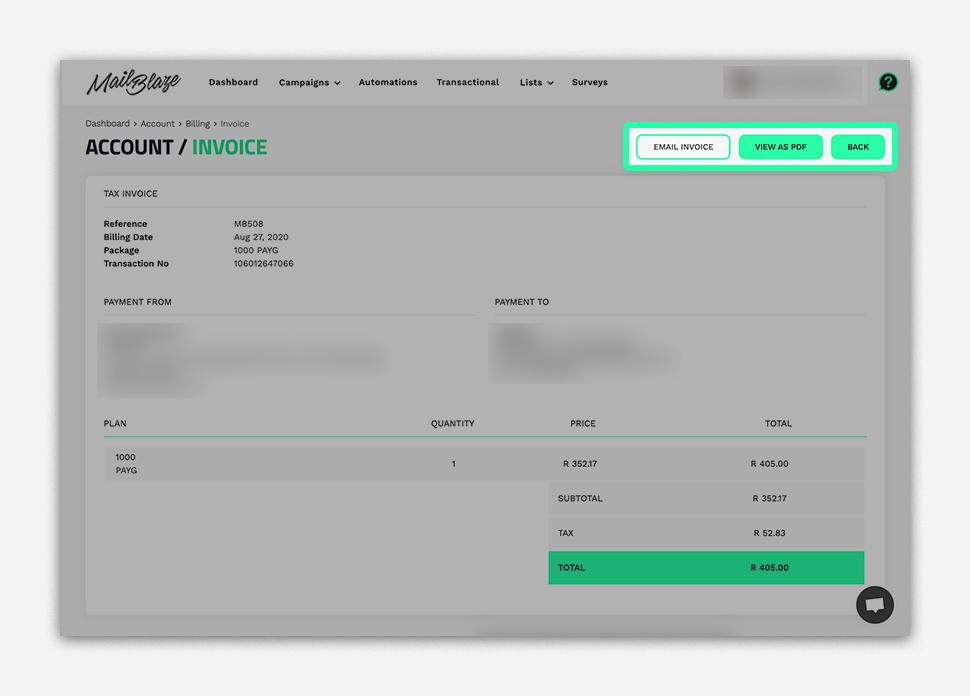
- From there, you can send it to your email by clicking on EMAIL INVOICE or click on VIEW AS PDF to download it.
If you have any questions about your invoices, please reach out to our support team.