


SUPPORT ARTICLE | 1 minute read
How to Change the "From Email address" and "Reply To Email address"
When sending a campaign, the name and email address your subscribers see can influence how they engage with your message. If you need to update your “From Email Address” or “Reply-To Email Address,” you can make those changes in your mailing list settings. Follow the steps below to adjust these details.
Step 1
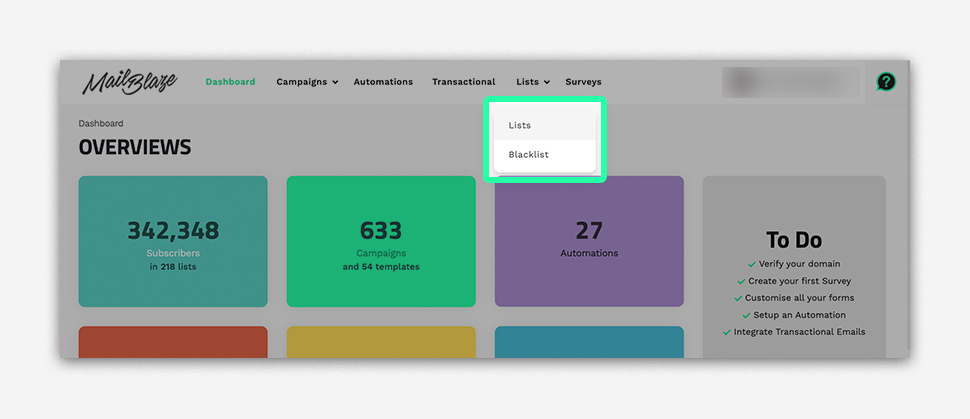
Navigate to LISTS in the dashboard.
Step 2
Click the list you’re sending the campaign from, then go to SETTINGS on the left side and click UPDATE LIST DETAILS.

Step 3
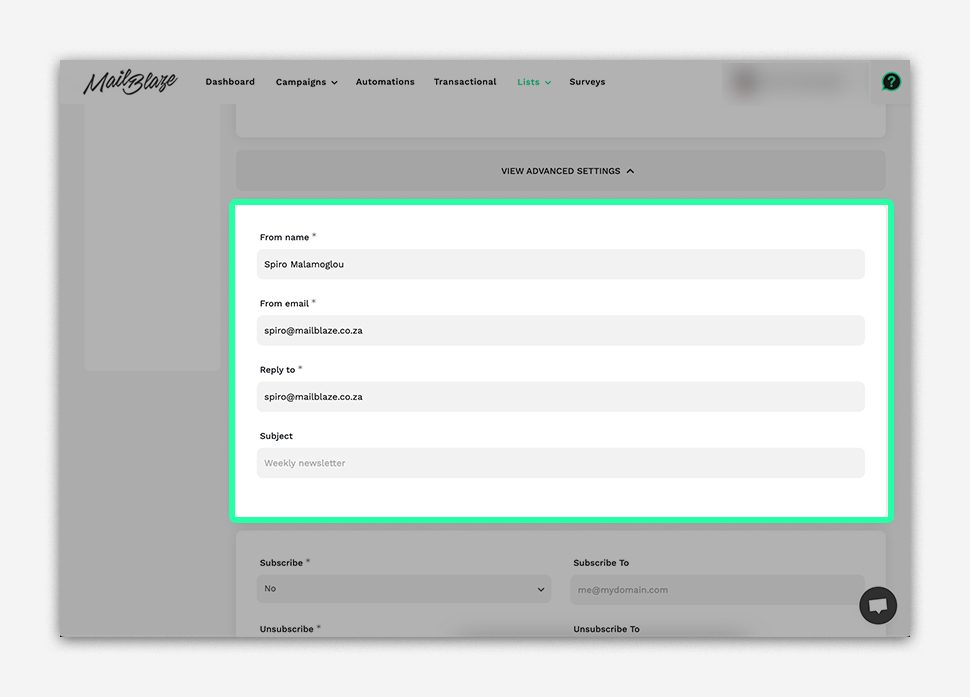
Scroll down and go to ADVANCED SETTINGS. From there you can edit the From Name and email address.
Alternate Way to Update the FROM and REPLY-TO Email Addresses
You can also change your FROM and REPLY-TO email addresses while creating your campaign. Simply go to the SETUP PHASE in the campaign wizard, update the details, and then click on SAVE AND NEXT.
